

Arduino Starter Kits Compared: Which Kit Is Right for You?
October 27, 2026
Arduino Starter Kits Compared: Which Kit Is Right for You?
Your first electronics project should give you a clear next step: connect a component, upload a program and see what changes. Choosing an Arduino starter kit is easier when you compare the projects and learning resources alongside the parts in the box.
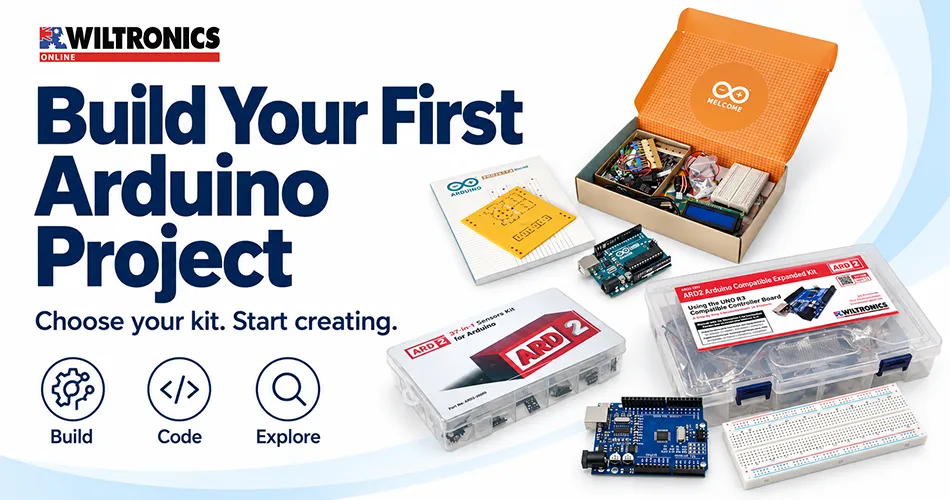
At Wiltronics, our Arduino bundles and starter kits offer several ways to begin. You can choose a guided ARD2 Arduino-compatible kit, an official Arduino kit with a printed project book, or additional modules for a board you already own.
This guide compares three starting options and one expansion pack, helping you choose around what you want to learn and build.
Start with your next project
Before comparing kit sizes, answer three questions:
- Are you starting from scratch? Check that the kit includes a development board, connection leads and the components required for its activities.
- How do you prefer to learn? Consider whether you want downloadable instructions or a printed book beside your workbench.
- What do you want to explore next? A focused introduction and a broader component collection serve different needs.
Our recommendation is to choose a kit whose first few projects you will actually complete. Extra components become useful when you have a plan for them.
Arduino starter kits compared
| Option | Main distinction | Consider it when… |
|---|---|---|
| ARD2-1014 Starter Kit | UNO R3-compatible board and 16 guided projects | You want a structured introduction |
| ARD2-1015 Expanded Kit | UNO R3-compatible board and 24 guided projects | You want more activities and component types |
| Arduino K000007 / JXC9200 | Official Arduino kit with 15 projects and a printed book | You prefer Arduino’s own learning package |
| ARD2-3000 37-in-1 Sensors Kit | A collection of input and output modules | You already have a suitable board and want to expand |
Project counts describe the supplied learning material. They are not a limit on what you can build, or a measure of how thoroughly each topic is taught.
ARD2 16-project starter kit: a structured introduction
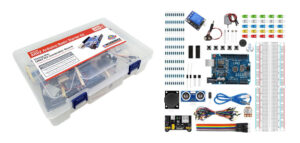
Our ARD2 Arduino Compatible Starter Kit — UNO R3 with 16 Projects combines a UNO R3 development board with an 830-point breadboard, USB lead, jumper wires and electronic components.
The listed selection includes LEDs, resistors, pushbuttons, buzzers, a potentiometer, a DC motor, an ultrasonic sensor and an analogue joystick. Its downloadable manual provides installation guidance, circuit diagrams, explained code and project summaries.
We suggest this option for learners who want a defined sequence to work through before planning their own builds. Open the manual from the product page before ordering: it is a useful way to judge whether the explanations suit you or your students.
ARD2 24-project expanded kit: more room to explore
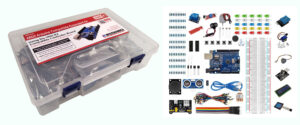
Our ARD2 Arduino Compatible Expanded Kit — UNO R3 with 24 Projects offers a broader component selection and a downloadable 24-lesson manual.
Compared with the starter kit’s listed contents, the expanded selection adds items including an SG90 servo, stepper motor, LCD1602 display, temperature and humidity sensor, infrared receiver, 4 × 4 matrix switch, audio sensor and water-level sensor.
We suggest comparing this kit when your plans already include displays, movement or a wider range of inputs. Preview the lessons and choose a few specific activities you want to attempt. That gives the larger selection a practical purpose from the outset.
You can still begin with introductory work; there is no need to connect every module at once.
Official Arduino Starter Kit: learn with a printed project book
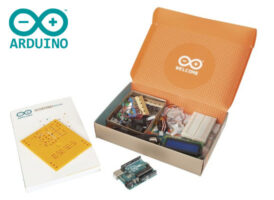
The Arduino Starter Kit K000007, is the official Arduino kit. It contains an Arduino UNO, more than 200 parts and a 170-page printed Arduino Projects Book covering 15 projects.
Its listed contents include a breadboard, jumper wires, LEDs, pushbuttons, a temperature sensor, an LCD, a small DC motor and a servo.
This is worth considering if a physical book is central to how you want to learn. You can keep the instructions beside the circuit while using your computer for the code.
The distinction matters: our ARD2 products are identified as Arduino-compatible kits, while K000007 is the official Arduino package. Choose using the actual hardware and resources included, rather than assuming all kits have the same contents.
Already have a board? Consider an expansion pack
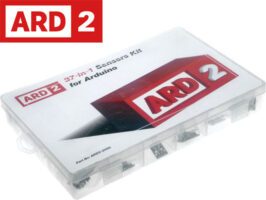
Our ARD2 37-in-1 Sensors Kit brings together input and output modules, including light, temperature and magnetic sensing options, a rotary encoder and buzzer modules.
Despite its name, the collection is not exclusively sensors: it includes outputs too. Its listed contents do not include an Arduino development board, so treat it as an expansion pack rather than a complete first setup.
Before choosing it, check the modules against the board, connecting leads and project resources you already have. Read each module’s documentation for its pin connections, operating requirements and example code.
For a first extension, we recommend selecting one module and defining one observable result. For example: read an input, record how it changes, then decide how your project should respond.
Prepare your computer before the first session
Allow time for software setup as well as circuit building. Arduino’s IDE installation guide explains the desktop software setup, while its sketch upload guide covers board selection and uploading a program.
Follow the instructions for your specific board, including any required drivers. Check that your computer connection and USB cable suit the board and support data transfer.
For a school or shared makerspace, trial one complete workstation before preparing the rest. Confirm that the user account can access the software, connect to the board and open the project files. A successful trial is more useful than discovering an installation restriction at the beginning of a group session.
Build understanding one change at a time
We recommend a simple working routine:
- Read the selected lesson and gather only its required components.
- Build and check the circuit against the instructions before powering it.
- Upload the supplied example and confirm the expected behaviour.
- Save a working copy before making changes.
- Alter one thing, predict the result and record what happened.
Keep early projects within the kit’s documented low-voltage activities. Disconnect power before changing wiring, and follow the project’s power and driver requirements for motors and other loads. A relay included in a kit is not an invitation to experiment with mains wiring.
When something fails, write down the symptom before rebuilding. “The program uploads but the LED stays off” gives you a more useful starting point than “nothing works”.
Frequently asked questions
Which kit should a complete beginner choose?
We suggest comparing the ARD2 16-project kit and the official Arduino Starter Kit first. Consider the learning resources, included components and your preferred way of following instructions. Choose the expanded kit if its additional activities match your plans.
Does a higher project count mean a better kit?
Not automatically. A useful kit gives you instructions you can follow and projects you want to finish. Compare the content and learning format alongside the number of activities.
Is the 37-in-1 sensor pack a complete starter kit?
No development board is listed in its contents. Plan for a suitable board and the connections and resources required by your selected modules.
Can these kits support classroom learning?
They can provide practical material for coding, circuit building and project development. Teachers should review the manuals, select suitable activities and map them to their own curriculum and assessment requirements.
What else should I check before ordering?
Check computer access, USB connections, instructions, any additional power requirements and whether your intended project needs parts beyond the kit. Use the individual product page for current contents, price and availability.
Choose your next project with Wiltronics
Explore our Arduino bundles and starter kits and choose a learning path that fits your goals.
Start with a project you can explain, build it successfully, then make it your own. Whether you are setting up a home workbench or planning group activities, a clear first step makes the kit easier to put to work.
© Electrotech Brands Pty Ltd 2026
Write a Comment
You must be logged in to post a comment.