

Incubator-Genie or Enviro-Genie: Choosing a Multifunction Laboratory Incubator
November 2, 2026
Incubator-Genie or Enviro-Genie: Choosing a Multifunction Laboratory Incubator
Choosing a laboratory incubator involves more than selecting a temperature range. The sample container, mixing motion and daily workload all affect whether an instrument will suit the job. A chamber may have enough space for your vessels, yet still need a different holder or attachment to move them correctly.
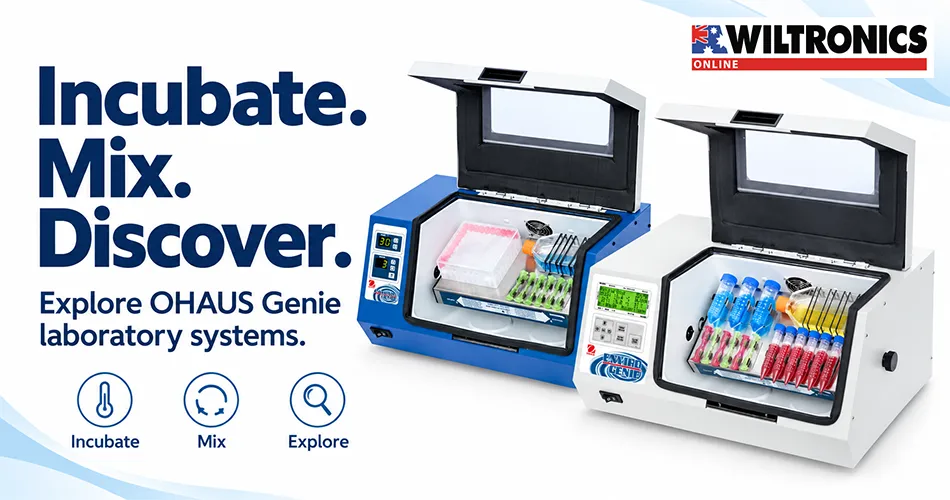
At Wiltronics, our Multi-Function Incubator Genie range brings together OHAUS incubators and accessories for temperature-controlled sample handling. The Incubator-Genie and Enviro-Genie share a flexible approach to mounting containers, but their capabilities differ in ways that matter when purchasing.
This guide compares the two models and explains how to plan a configuration around your laboratory’s requirements.
The main difference: incubation or heating and cooling?
Choose the Incubator-Genie when your required operating temperatures fall within its specified 28–75°C range and you need rotation or rocking. Consider the Enviro-Genie when your work requires its broader 4–75°C range, magnetic stirring or additional control features. Both support shaking with suitable optional accessories.
Use the model-specific specifications when comparing equipment. Features described for the wider product family are not necessarily included in every model.
| Feature | OHAUS Incubator-Genie e-MI3 | OHAUS Enviro-Genie e-MI3C |
|---|---|---|
| Listed temperature range | 28–75°C | 4–75°C |
| Chamber volume | 24L | 24L |
| Standard mixing functions | Rotate and rock | Rotate, rock, stir and reverse stir |
| Shaking | Requires suitable accessory | Requires suitable accessory |
| Temperature setting increments | 1°C | 0.1°C |
| Display | LED | LCD |
| RS232 communication | Not listed | Listed |
Temperature setting increments describe the available adjustment steps. They are not interchangeable with temperature accuracy, stability or uniformity. For work with tight tolerances, confirm the relevant performance specification and conditions before selecting the instrument.
When the Incubator-Genie is a suitable starting point
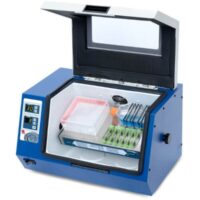
Our OHAUS e-MI3 Incubator-Genie combines incubation with rotation and rocking. Its magnetic mounting system supports different container arrangements using compatible holders.
It is worth considering when you have a defined temperature-controlled mixing task and do not need the additional cooling or stirring functions of the Enviro-Genie.
Before choosing it, list the temperatures and motions your existing methods require. If one regularly used method falls outside the model’s capabilities, identify that before committing to the purchase. A feature that is unnecessary today may become important later, but speculative future needs should not replace a clear assessment of current work.
When to consider the Enviro-Genie
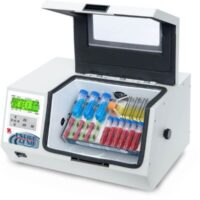
Our OHAUS e-MI3C Enviro-Genie adds Peltier cooling and dual-position magnetic stirring, alongside rotation and rocking. It also provides reverse stirring and RS232 connectivity.
The broader temperature range makes it a candidate for workflows that need both cooling and heating within the listed limits. The added stirring functions may also reduce the need to move vessels between separate pieces of equipment for compatible tasks.
Evaluate that benefit against your schedule. One multifunction instrument can support several kinds of work, but it can also become a bottleneck when different users need incompatible temperatures or configurations at the same time.
If computer control is part of the purchase decision, confirm the required cable, interface, software and compatibility with your laboratory’s computers. A listed communication port alone does not establish a complete, ready-to-use data system.
Match the motion to the method
Rotation, rocking, orbital shaking and magnetic stirring are different actions. Select the motion specified by the method rather than treating a matching speed number as proof that two setups are equivalent.
For example, a purchase request that says “mix samples at a controlled temperature” leaves several important questions unanswered. A more useful brief identifies:
- The required motion and operating temperature.
- The vessel type, dimensions, closures and working volume.
- The number of vessels processed together.
- The duration and frequency of use.
- Whether recording, timed operation or computer control is needed.
This gives your laboratory and supplier a practical basis for checking the complete configuration.
Choose accessories around the containers
The instrument and its sample holders should be considered together. Start with the vessels you actually use, including their outside dimensions and the space needed for movement.
Tube clip plates
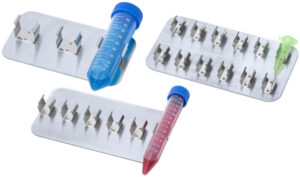
Our OHAUS clip plates are offered for three tube-diameter ranges: 10–13mm, 15–17mm and 28–30mm. Individual plates and six-plate packs are listed.
Choose by the specified diameter range and confirm fit with your vessel. A nominal sample volume alone does not establish that two tube designs have the same dimensions.
Hybridisation tubes and other vessel formats
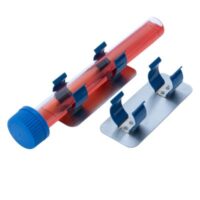
For relevant workflows, our two clip plates for hybridisation tubes provide a dedicated accessory option. Universal clip plates are also available.
Check the actual holding arrangement, clearance and operating restrictions. The word “universal” should not replace a compatibility check for an unusual vessel.
Orbital attachments
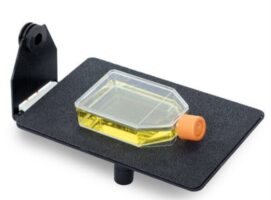
Wiltronics lists both a 3-D orbital shaker attachment and a horizontal orbital shaker attachment for the two Genie systems.
Specify the required motion before selecting an attachment. Include the compatible sample support and permitted load in the discussion, rather than ordering an attachment by name alone.
Check what is already supplied
The listed standard accessories include clip plates for the three tube-size ranges, four bag-mounting strips, a non-skid tray and a shelf. Confirm the supplied configuration for the exact model when ordering so that optional purchases add the capacity or functionality you need.
The manufacturer specifies a 4.5kg rotating/rocking capacity centred on the axis. This is not a blanket load rating for every accessory or vessel arrangement. Check balance, attachment limits and movement clearance for the intended setup.
Plan the bench and working routine
Allow space for access, loading, connections and the installation clearances required by the manual. Check the supporting bench and the delivery route as part of procurement, especially when replacing a smaller instrument.
Plan who will configure the equipment, who will verify it before use and how settings will be recorded. A simple setup record can include the model, accessory, vessel arrangement, temperature, motion and the applicable laboratory method.
Use the manufacturer’s loading and mode-change procedures. The manual specifically restricts the metal rocker tray to rocking mode and calls for checking tube clearance before starting rotation. These details are part of selecting a usable configuration, not just final installation tasks.
A practical purchasing checklist
Before requesting a quote, prepare the following information:
| Requirement | Information to provide |
|---|---|
| Temperature | Required range and acceptable performance tolerances |
| Motion | Rotation, rocking, stirring or the specific shaking action |
| Containers | Type, outside dimensions, closures and number per run |
| Load | Total loaded mass and intended arrangement |
| Scheduling | Run duration, frequency and competing users |
| Accessories | Supplied items plus any additional holders or attachments |
| Installation | Bench space, access and electrical requirements |
| Records | Calibration, verification and any computer-interface needs |
Use this checklist to compare complete setups rather than base-unit prices. A suitable instrument with the right holders is more useful than a broader feature list with missing accessories.
Frequently asked questions
Does the standard Incubator-Genie refrigerate samples?
Do not select it for refrigeration. Its specified operating range is 28–75°C. The Enviro-Genie is the cooling model in this comparison, with a listed range of 4–75°C.
Do both models include magnetic stirring?
No. Magnetic stirring and reverse stirring are listed for the Enviro-Genie. The standard Incubator-Genie provides rotation and rocking, with shaking available through suitable accessories.
Is an orbital shaker attachment included?
The orbital attachments are listed separately and are not included in the standard accessory list. Confirm the complete package when ordering.
Does a 24L chamber tell me how many samples will fit?
Not on its own. Usable capacity depends on vessel size, holders, arrangement and the clearance needed during movement. Check the proposed loaded configuration.
Can every function run simultaneously?
Do not assume that it can. Functions depend on the selected mode and installed hardware. Confirm the required combination against the operating instructions before planning a workflow around it.
Which model should our laboratory buy?
Start with temperature and motion. If the standard model meets your documented needs, compare its complete configuration with your alternatives. If cooling, stirring or additional controls are required, assess the Enviro-Genie and the accessories needed for that work.
Configure your Genie system with Wiltronics
Explore our Multi-Function Incubator Genie range to compare the instruments and accessories. Bring together your temperature requirements, sample-container details and preferred motion, then contact Wiltronics to discuss the proposed configuration before ordering.
© Electrotech Brands Pty Ltd 2026
Write a Comment
You must be logged in to post a comment.