

Choosing a Magnifying Lamp for Electronics
September 21, 2026
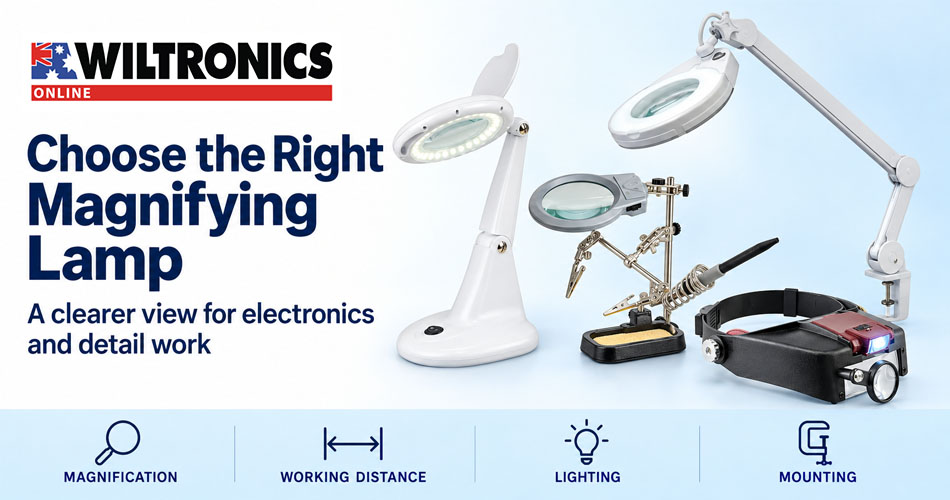
Choosing a Magnifying Lamp for Electronics
Small component markings, closely spaced connections and fiddly assembly work can make a simple project harder than it needs to be. A magnifying lamp brings lighting and magnification together while leaving both hands available for the job.
Choosing one takes more than comparing the biggest magnification number. You also need enough space for your tools, a useful view of the work and a mounting arrangement that suits your bench.
This guide explains what to check and compares four Wiltronics options for electronics, model making, repairs and other detailed work.
Quick answer: Start with the detail you need to see and the space you need to work. Then compare lens size, working distance, lighting, mounting and adjustment. Choose a setup that lets you see clearly while keeping your tools and hands in a comfortable position.
1. Decide whether you need to inspect or assemble
Reading a tiny part number and fitting that part into a project are different tasks. Inspection may only need a close view for a few seconds. Assembly needs a clear view plus room to move tools, turn the workpiece and reach nearby parts.
| Your main task | What to prioritise |
|---|---|
| Reading component markings | Clear detail and convenient positioning |
| Working on a circuit board | Tool clearance, stable focus and access to the board |
| Model assembly | Hands-free viewing and space to rotate the model |
| Examining small objects | Suitable magnification and control of reflections |
| Moving between work areas | Portability, power requirements and quick adjustment |
Use a typical project as your reference. A lamp that works well over a flat board may be awkward above a tall enclosure or three-dimensional model.
2. Understand dioptres, magnification and working distance
Dioptres describe a lens’s optical power. A magnification figure such as 2× describes enlargement under the stated viewing conditions. The two numbers are not interchangeable: a 3-dioptre lamp should not be read as a 3× lamp.
When comparing models, check which measurement the listing uses. If it only states dioptres, ask for the manufacturer’s magnification and working-distance information rather than assuming an equivalent.
Working distance is the space between the lens and the object when you have the required clear view. It matters because your tweezers, screwdriver, brush or other tools must operate in that space.
Higher magnification commonly means working closer to the object. That can help reveal detail but make manipulation less convenient. AmScope’s magnifying-lamp guide discusses this trade-off between magnification, working distance and tool access.
If possible, compare models using a familiar component and the tool you would use to work on it.
3. Look at lens size separately from magnification
A lens’s diameter describes its physical size, not its magnifying power. A larger lens may make positioning easier and offer a more useful viewing window, but the area you can see also depends on magnification and viewing position.
Check whether a quoted measurement refers to the glass itself or the complete magnifying head. Those are not necessarily the same dimension.
For a board with several connectors, assess how much of the assembly remains visible without repositioning it.
4. Choose a mounting arrangement that fits your bench
Desktop lamps
A freestanding lamp can be useful where there is no suitable bench edge for a clamp. Allow room for its base, the workpiece and your tools. Check the adjustment range at the actual height where you intend to work.
Clamp lamps
A clamp-mounted arm keeps the base off the main work surface. Check the bench thickness, the shape of its edge and access underneath it. An apron, drawer or rounded edge may interfere even when the thickness is within the stated limit.
Headsets
A headset moves with you and leaves the bench free of a lamp base. Check the headband fit, lens position and whether the viewing distance suits the task. If you wear glasses, test compatibility with them before committing to a long session.
Magnifiers with work holders
A combined holder and magnifier can help when the main difficulty is keeping a small part steady. Check the clip reach and gripping points against the actual workpiece. Keep clips clear of delicate components and surfaces that could be marked.
5. Compare four Wiltronics options
These products offer different ways to arrange the work area. The specifications below come from their linked Wiltronics listings; the selection notes explain how to assess them for your task.
| Product | Listed lens power | Mounting style | Main selection consideration |
|---|---|---|---|
| TL1023 Desktop Magnifying Lamp | 3 dioptres | Freestanding desktop base | Space for the base on a compact desk |
| TL1025-LED/3DIO Magnifying Lamp | 3 dioptres | Bench clamp and spring-loaded arm | Suitable bench edge and arm reach |
| TL1035 Magnifying Headset | Listed configurations: 1.5×, 3×, 8.5× and 10× | Adjustable headband | Comfort and viewing distance in the chosen lens configuration |
| TL9607 PCB Holder with LED Magnifier | 2× | Cast-iron base with adjustable clips | Grip and stability with your actual board or part |
Dioptres and × magnification are shown as listed, not as equivalent units. The notes below cover the features that distinguish each option.
TL1023 Desktop Magnifying Lamp
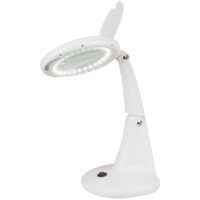
The TL1023 Desktop Magnifying Lamp has a 100mm glass lens rated at 3 dioptres, LED lighting and an adjustable stand with two knuckles. It is mains powered with an adaptor included. Listed overall dimensions are 184mm wide, 160mm deep and 330mm high.
The listing also describes an optional interchangeable 5-dioptre lens. Confirm its availability and compatibility if you expect to change lens power later.
TL1025-LED/3DIO 3 Dioptre Magnifying Lamp
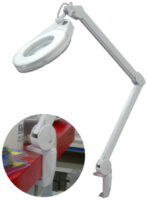
The TL1025-LED/3DIO combines a spring-loaded arm with a clamp for surfaces up to 60mm thick. Wiltronics lists a 130mm magnifying head and 56 LEDs with a colour temperature of 3500–4500K.
The arm allows repositioning without moving a desktop base. Confirm its reach from your proposed clamp location. The listed head dimension should not be assumed to be the clear lens diameter.
TL1035 Magnifying Glass Headset
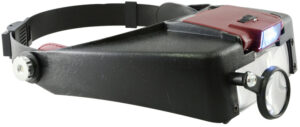
The TL1035 headset has an adjustable headband and LED light powered by two AAA batteries, which are not included. Wiltronics lists magnification configurations of 1.5×, 3×, 8.5× and 10×. It uses both a main dual-eye lens arrangement and a smaller single-eye lens.
Start with the lowest setting that reveals the required detail. The smaller single-eye lens provides a different viewing arrangement from the main lenses, so check which configuration suits the job.
TL9607 PCB Holder with LED Magnifier and Soldering Iron Stand
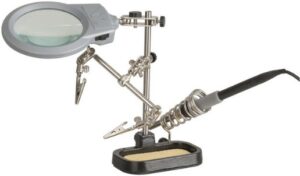
The TL9607 PCB holder combines a 90mm, 2× magnifier with two LEDs, adjustable alligator clips, a cast-iron base and a soldering iron holder. The lighting uses three AAA batteries.
Check the grip and balance with your workpiece in place before starting, particularly when the board extends beyond the base.
6. Judge lighting by what it reveals
Built-in lighting is useful, but assess the actual surface you are viewing. Shiny metal, component bodies and glossy finishes can reflect the light differently.
Try adjusting the lamp head or tilting the workpiece slightly. Check whether a reflection obscures a marking, whether your hand creates a shadow and whether the illumination covers the area where you are working.
For painting or colour matching, look for a documented colour-rendering specification if accurate colour judgement is important. A colour-temperature figure alone does not establish colour accuracy. Avoid assuming that every lamp described as white or daylight gives the same result.
Before-you-buy checklist
- Does the specification state dioptres, magnification or both?
- Is there enough working distance for your tools?
- Does the lens provide a useful view of the area you work on?
- Will the base or clamp fit your bench?
- Can the head reach the required position and stay there?
- Can you maintain a comfortable posture while the detail stays in focus?
- Is the power arrangement convenient, and are batteries or an adaptor included?
- Does the workpiece stay secure as you rotate it or change tools?
Find the right view for your next project
A well-chosen magnifier should make the details easier to see while giving you room to work. Start with your typical task, then match the lens, lighting and support to the way you use your bench.
Explore magnifying lamps and headsets at Wiltronics or browse the wider magnifier range for your next electronics, repair or hobby project.
© Electrotech Brands Pty Ltd 2026
Write a Comment
You must be logged in to post a comment.